
Use One QR Code for Multiple Links, Files, or PDFs

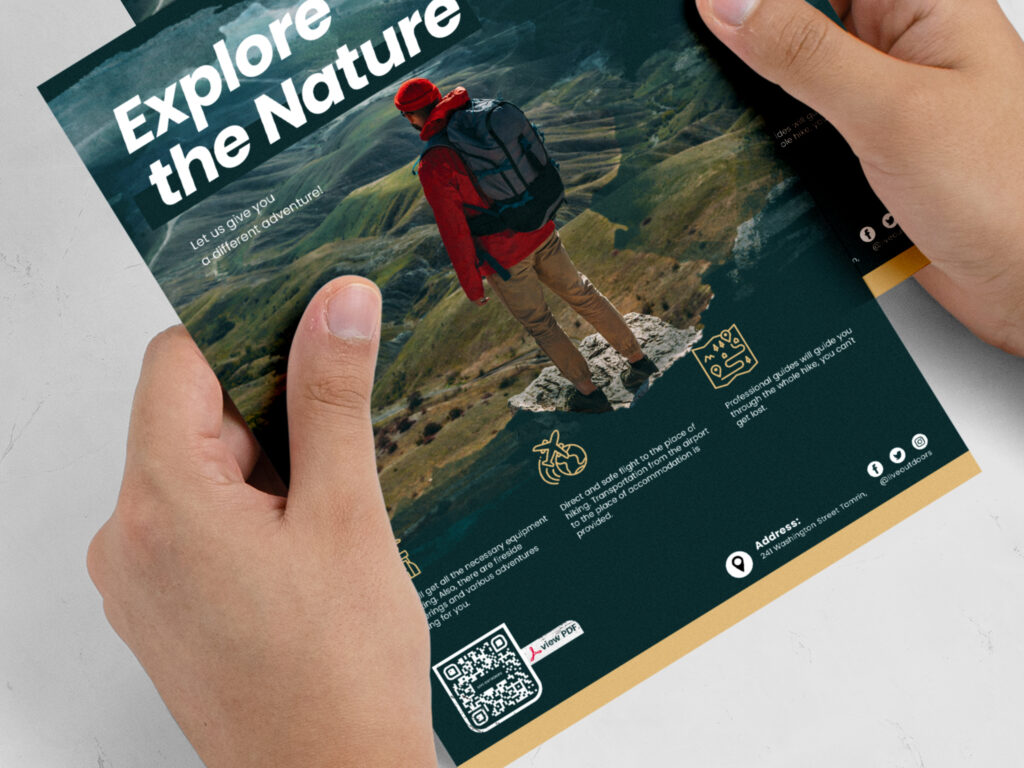
a brochure with students and a qr code with a blue background
Add PDF QR Codes to Flyers

Make it more convenient for your audience to access information about your company, products, and services. A QR code generator for multiple links is the answer. QR codes on product packaging also look simple, cleaner, and give your materials a modern look with a digital touch. Instead of crowding spaces and packaging with multiple QR codes and barcodes, use a Multi-Link QR Code or even a Barcode QR Code with a GS1 Digital Link to provide all of the content and product information in a centralized place. These types of QR codes enable the creator to add multiple files and PDFs, providing a QR code landing page for the audience when they scan, which will appear as a link tree format. From there, people can choose what kind of content they want to download or follow. Is it a product instruction manual, a PDF file too big to email, websites, social media channels, tutorials, recipes, booking calendars, etc.? You choose the content you want to add to your QR code. It keeps multiple files and PDFs organized and shares them immediately so customers and stakeholders can always find the information.

The benefits of using one QR code for multiple files or PDFs

With all of the ways you could share massive amounts of information immediately, the benefits just keep growing. There is more to QR code marketing than just scanning and sharing information. Let’s see what else there is!

Organized link tree format

Keep organized with a clear, concise format that clearly states what content you have to offer. Is it a website link, a photo gallery of your work, a place to buy event tickets, etc.? When you have an easily navigable QR code landing page with quality content, it works better for you and the customer.

Dynamic QR codes are editable

You can change the content as much as you want using a dynamic QR code. Whenever your campaigns update with the seasons, you have new products, tutorials, or details to share, just add or edit your links. This means you don’t need to reprint a physical code unless you want to.

Sustainable packaging

Less is more with QR codes. Stakeholders across the board demand more information than ever regarding sustainability claims, which means more wording. How else would we do that sustainably except by using a QR code on packaging? And with Sunrise 2027 coming up, a measure by the GS1 Organization, GTIN QR codes will replace traditional barcodes. Now, one scan will support supply chain workers’ information, satisfy regulators, and cater to customers’ needs, depending on who scans. QR codes with multiple links will phase out barcodes soon enough, and smart packaging will be the only way to go. It seems like a lot up front, but any seller with a UPC or EAN can now just put that number into our top QR code generator and add it to their packaging design!

Immediate content sharing

There’s no better way to share content, period. Of course, you have a website with a fantastic landing page, which cost you time and money to develop, social media channels, and amazing white papers; but who knows that they exist if they don’t get on your website? The fastest and most accurate way to share your content is by generating a QR code with multiple links. People are sure to scan and click, whereas they may not remember your website later, and the more they put it off, the less likely they’re going to get on it.

Information stored in mobile phones

Don’t lose any more information. Now, by scanning a QR code, the landing page comes up with all of the available links for your audience to click on. The landing page is not saved to the phone’s storage, but the URL is saved into the browser’s history whenever they close that page. Of course, it’s a random URL, but the idea is that they click on the links at that moment, which also saves into their history or gives them an opportunity to follow you or download that content. 

How to create a QR code for multiple links

QR codes are easy and fun to create and design. Learn how to do it fast, beautifully, and accurately here!  

Step 1: Go to Trueqrcode QR code generator that makes it simple to create beautifully designed QR codes. You can give it a try in advance without having to give out confidential information.

Step 2: Choose the Multi-Link QR Code or Barcode QR Code option. For the latter, you’ll be prompted to add your product information like a GTIN for a GS1 Digital Link, or for a normal QR code with multiple links, just the headers, social channels, links, PDFs, etc. Both options are dynamic vs. static QR codes

Step 3: Customize your QR code design with branded, contrasting colors. Make sure it’s .8 x .8 in with white space around it and isn’t printed on high gloss, creases, or strong curves, so it scans well. Add a QR code logo for brand recognition. You can also decorate your QR code landing page with our easy-to-use tools. It takes little time and effort, and no design skills are necessary. 

Step 4: Download your QR code for later use once you’ve saved it into a PNG or SVG file. You can save your QR code template so your marketing materials are consistent over time and you don’t need to redesign anything unless you want to. 

Step 5: Print the downloaded QR code on an easily accessible surface in order to be scanned. Remember that it should be big enough to scan easily with a cell phone and placed on a surface that isn’t easily scratched or damaged, and still in plain view of the user. It is strongly suggested to test scan again, once it is printed on the physical product, or not being able to use it would make it null.

Step 6: With Trueqrcode’s dynamic QR code analytics, you can track the amount of scans done, from what cities they came from, and on what devices, if this information is important for your customer satisfaction metrics. QR code tracking enables you to do A/B testing over time so you can add and take away content links that are more useful for your audience. This is an important part of QR code marketing, whereas printed campaigns in the past were not providing data in return.

Feedback QR Codes on a water bottle on a towel
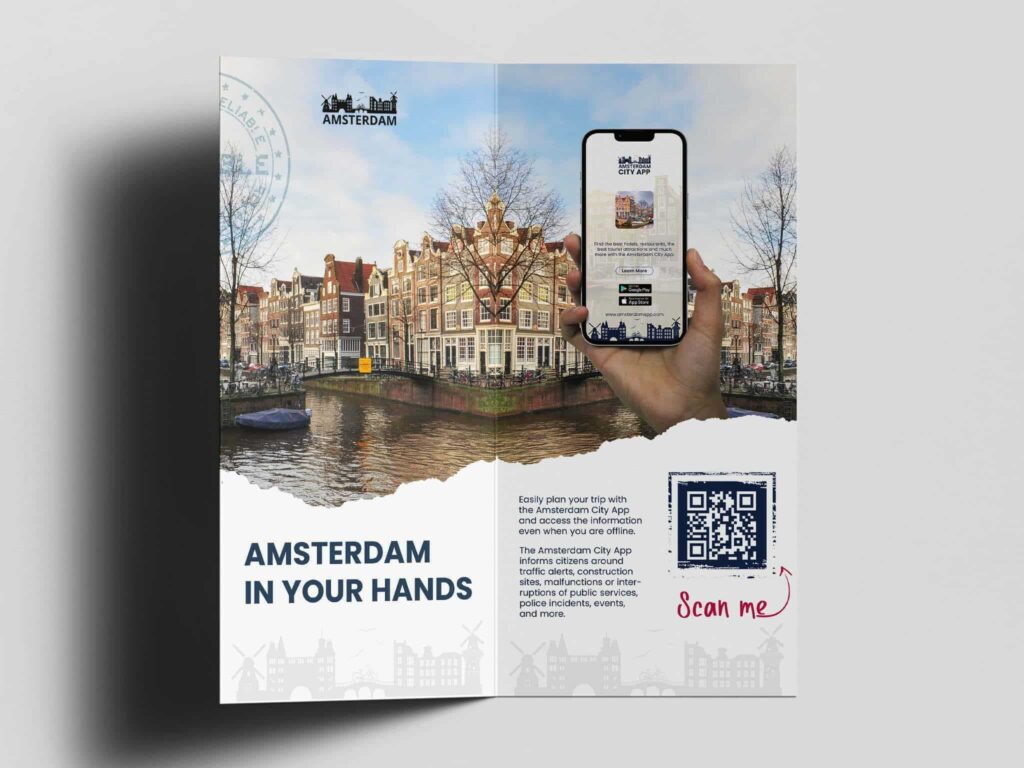
QR code for multiple links added to an Amsterdam tourism brochure with the city, river, and sky

Best practices for using one QR code for multiple links

Check out some interesting ideas to get the most out of your QR codes with multiple links.

Use QR codes for retail

QR codes for retail are a must-have. You can add anything from ecommerce pages leading to repeat buys, YouTube channels with video tutorials, links to virtual reality experiences, suggestions about complementary products, seasonal discounts, and more. If you use a 2D barcode with a GS1 Digital Link, you mitigate having to print a traditional barcode and another QR code on product packaging.

Create QR codes for food packaging

QR codes on food packaging have so many benefits because you can add recipes, cooking tutorials, origin stories, eco-certifications, and seasonal activities like cooking on the holidays. You can also use a GS1 Digital Link QR Code for Food Packaging, which allows you to add your GTIN and multiple links.

Print QR codes with multiple links on table tents

QR codes on table tents have a lot more to offer than you would think. Not only do you mitigate physical menus, but you can also change promos on the backend often without reprinting physical codes. Add links to ice-breakers, party games, and drinking challenges. Add a link to a review or feedback page. Enable scanners to sign up for loyalty programs. Even let people pay their bill or buy gift cards. QR codes for restaurants have a lot more potential than only a menu when adding multiple links and PDFs.

Incorporate QR codes into museum and gallery events​

QR codes for museums and galleries are fun because you can add multiple links to different events, artist pages, places to buy art or donate, contact information, and PDF brochures that describe different pieces. This saves a lot of printing costs and litter.

Share content for tourism with QR codes

QR codes for tourism are genius in terms of multiple files and PDFs. Now, brochures for your favorite city attractions like theme parks and zoos can be linked to a QR code landing page and downloaded directly to your phone. You can add links to ticket sales, nearby hotels, featured restaurants, popular sites, and more. Depending on what kind of business, organization, or entity you are, you can add links to affiliates that work for your location and audience.

Tips for using one QR code for multiple links

For maximum campaign success, check out these tips for creating and maintaining a QR code with multiple links. 

Add quality links, not quantity

Since dynamic QR codes and their landing pages are editable over time, you can add, edit, and delete links that are useful to the customer. When you see that some links are getting more attention than others, you realize what is important. Always add quality content. You don’t need to add heaps of links just because they exist or you need filler. Add links that give your business a place to show its value, so the customer knows that following will benefit them.

Clearly define your links

No one will scan mystery codes or click on links that are not clearly defined. If it’s a discount, say so. If it isn’t, don’t use clickbait. QR codes need to have a clean, short CTA, and your links need to be titled so that people find them useful. Your linked pages still have content on them that people should be reading, so you don’t need to put all of the information on the landing page.

Test scanning is mandatory

Always test scan after generating the code and after printing one piece of material or packaging. You want to know if it scans on that surface, and that every link goes where it should, and also, that the links have the correct content attached to them. Dynamic QR codes are editable, but your first impression means everything, and when scanning a QR code, people want to see valuable, correct content that is mobile-optimized.

Make sure content is mobile-optimized

Always test scan after generating the code and after printing one piece of material or packaging. You want to know if it scans on that surface, and that every link goes where it should, and also, that the links have the correct content attached to them. Dynamic QR codes are editable, but your first impression means everything, and when scanning a QR code, people want to see valuable, correct content that is mobile-optimized.

Give A/B testing patience

You need to see what works and what doesn’t. There are some analytics that need to be addressed immediately, such as if no one is scanning or you’re always losing your audience at a certain point. However, if you see that more scans happen on one day more than another, or in one city more, or that certain content is being followed but not others, this will be apparent over time. That timing is dependent on your company, product, service, etc. Evaluate what’s best for your needs.

FAQs

These are the most frequently asked questions and their answers about making a QR code with multiple links.

Yes, as long as the URL routes to a QR code landing page, which is automatically generated for you when choosing the Multi-Link or GS1 Digital Link QR code options which Trueqrcode. It’s also easier and more convenient for brands and consumers to have multiple pieces of content in one QR code landing page. Therefore, technically, the QR code itself holds one URL and that contains multiple links.

Not unless you have a link on your landing page that asks them to download your company app.

Yes, as long as you use a dynamic QR code for multiple links.

Yes, and you can also track how many people click on each link in Trueqrcode’s analytics dashboard.

Not at all. You can make a QR code with multiple links that has any type of URL or socials.