One QR Code for Multiple Social Media Accounts

a brochure with students and a qr code with a blue background
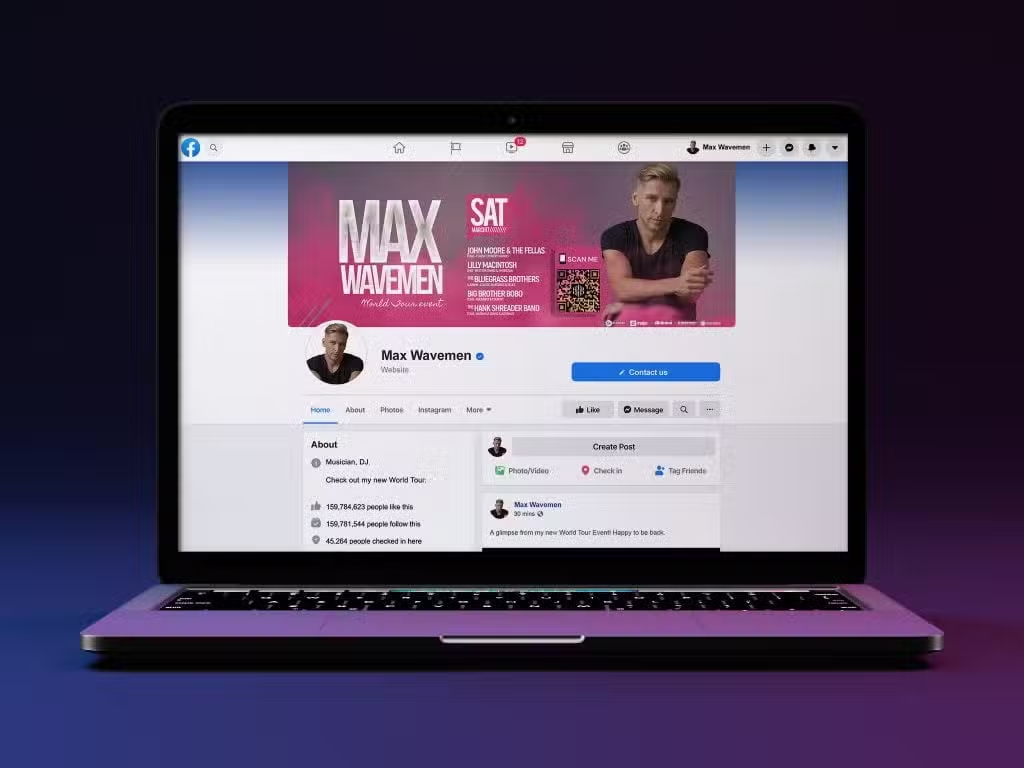
a facebook site that is on a computer with a pink and purple setting

When a social media QR code is scanned, it opens a QR code landing page with a linktree style format that displays all of your social media accounts with clear logos so your audience can follow the accounts that they use. 

A QR code generator for social media now enables you to organize all of your accounts in one place. Gone are the days of having separate QR codes that only direct to one URL. With a Multi-Link QR Code, you can keep your marketing materials clean and simplify engagement with your audience.

We also offer a vCard QR code that auto-populates all of your contact information into the other person’s mobile phone, creating a seamless experience that reduces manual entry, which avoids mistakes. In addition to the phone number, email, address, website, company, and position fields, you can include all of your social media links with our preset, recognizable icons. 

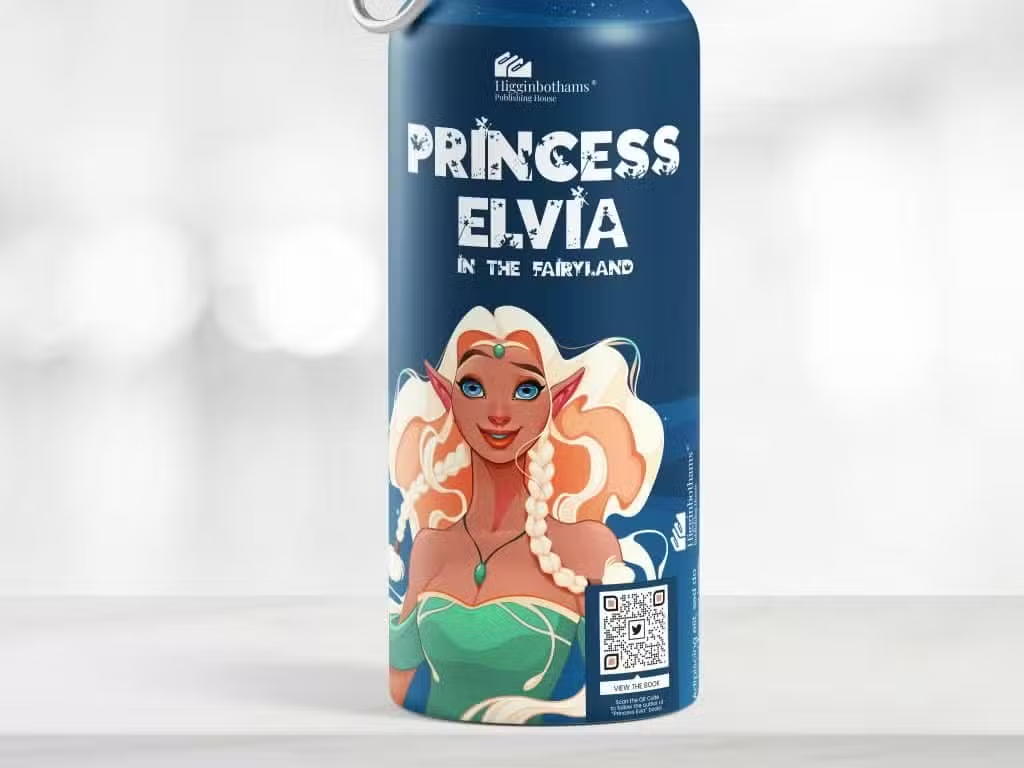
If you sell products, enhance your packaging and create a 2D barcode for retail that also connects to social media profiles the same way, in addition to that QR code’s other benefits. 

At Trueqrcode we provide a range of QR code types with multiple links to suit widespread needs across any sector, making QR code technology optimal for creativity and centralizing various kinds of information. We’ll explore our solutions with a few examples below!

One QR code for social media across all profiles

You can add any social media channels to your QR code. Here are a few examples for inspiration:

Adding Facebook to your social media QR code will enable you to share pictures, posts, promotions, and message your audience. It’s the perfect site for ongoing engagement with conversations that get everyone involved, and they save in your news feed over time.

A QR code for LinkedIn is perfect for professionals that do a lot of networking and want to share links to portfolios and showcase other professional achievements and credentials. We also encourage you to add your LinkedIn account to a business card QR code.

TikTok is super trendy amongst Gen Zs. For educational clips, unboxings going viral, brand discovery, and product trends, add this link to your social media QR code and watch your followers increase.

Your social media QR code must have a WhatsApp number as it’s the most commonly used messaging platform across the world. For fast business connections and optimum customer service, WhatsApp business chats are imperative for a fast-growing and interested audience.

A QR code for social media should also include Telegram if it’s popular in your region. This will open the Telegram app when clicked and your audience can automatically chat with you without the confusion of jotting down phone numbers with typos. It’s also necessary for international audiences who need customer service help or want to order products, free of international calling charges.

Share pictures and direct messages with the world about your products and services with Instagram as it’s the easiest way to demonstrate what you can offer, while chatting for free with your audience. You can also pay very little for advertisements that cover your selected regions. 

Do you have a YouTube channel? Add it to your QR code. Everyone loves a good tutorial, a personally written song, a short educational lesson, and more. 

For short announcements about events, product launches, or if you just have something funny to say, X, formerly known as Twitter, is the perfect, short but sweet way to convey your message.

The benefits of using a QR code generator for social media

If you want long-lasting and meaningful connections with your audience, a social media QR code is the way to go. By tying all of your content into one QR code and giving people the freedom to choose from there, you remove doubts and encourage effortless communication with loyal consumers.

User and creator convenience

A QR code generator for social media is ideal for the scanner on the go. You can customize QR codes with your personal or professional branding, adding a QR code logo that really makes it your own.

Simplify contact information

Since QR code landing pages leave readers with clean, itemized social media channels, there’s no confusion in connecting your audience with you. With a vCard QR code, all of your contact information is auto-populated into the scanner’s phone, so there are no typos and no confusion. Add links for all of your social media accounts, and people can choose which ones they want to follow.

Cleaner marketing materials

QR codes that offer single URLs, like Website QR Codes or PDF QR Codes, are useful for certain things like product instruction manuals, but there are many different QR code types that offer multiple links without the clutter of printing a lot of QR codes on product packaging, posters, flyers, and other materials.

QR codes for social media ensure engagement

A QR code generator for multiple links like social media accounts guarantees that your audience will find you somewhere. If someone scans, it’s because they are interested. However, not all people use every platform. And maybe, every platform isn’t useful for your business. But where your service and their needs combine, that is where you will find them. This gives you a competitive edge that is long-lasting with your digital assets. 

Smart packaging amplifies marketing efforts

Using a QR code barcode instead of a traditional barcode empowers you to streamline supply chain operations while catering to the end users’ demands for more product information. Adding your social media links to your QR code promotes the post-purchase relationship and encourages repeat purchases. Traditional barcodes can’t do that.

How can I create a social media QR code for multiple accounts?

QR code marketing is done best when you start a lifelong relationship with consumers that builds trust and loyalty. Here’s how to make your social media QR code so it stands out amongst the rest:

  1. Go to Trueqrcode QR code generator and click on the Multi Links or vCard Plus option. For a GTIN QR code, check out our linked article. It’s about the same as below, with an EAN or UPC.
  2. Add a classy header, a fun description, and a cool image for your landing page. You’ll see your design appear on the right side. 
  3. For a vCard Plus QR code, you’ll enter your phone number, email, address, website, company, and position fields. You can choose the ones you want to share. Add a profile photo for your landing page image.
  4. Scroll down and add your social media links to the logos provided. We suggest you copy and paste them from their actual pages to eliminate typos. You can even add additional links if you need to.
  5. Click the design tab on the same screen. You’ll now see the QR code on the right side. Add your branded, contrasted colors so it scans. You can add an optional frame and a short call to action unless you’re printing a longer one on materials. Play with the shape tools for style and corners. Add a QR code logo to the center, and keep your marketing or packaging materials in mind for a good match.
  6. Click next and download your code. Test scan it before printing to make sure it works. Test click every link with your mobile device to ensure they go to the right pages. Dynamic QR codes are editable, but you will lose your audience if they are clicking links that are wrong. 
  7. Do a test scan on whatever you print it on. You can also just leave it in your mobile phone (if it’s personal) to share with others, and they can scan directly from there. You need to ensure the print has enough space around the QR code, isn’t printed on seams, creases, folds, or ultra shiny backgrounds. If you’re printing on multiple surfaces like packaging, please test one before printing multiples. 
  8. Use QR code tracking in real-time in Trueqrcode’s dashboard to evaluate which channels drive the most engagement.
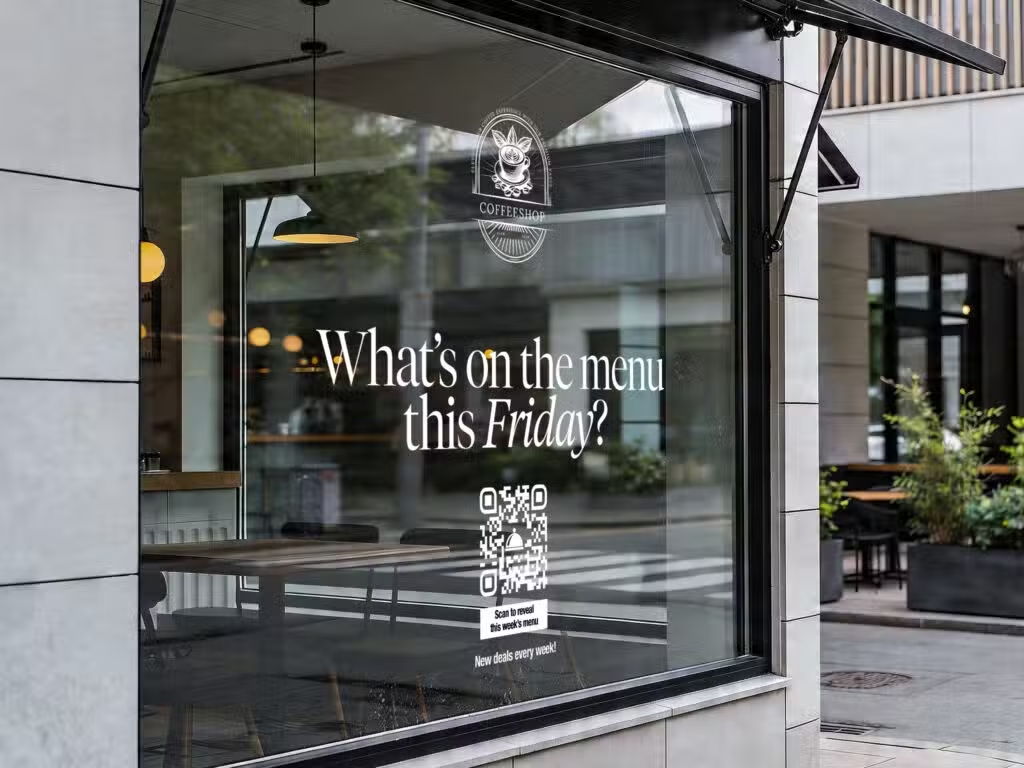
qr code on a window of a coffee shop
mobile phone with a dentist and a qr code that's blue and green

Best practices of using a QR code generator for social media

Check out these helpful ideas to get the most out of your social media QR codes with multiple profiles.

Use social media QR codes on business cards

QR codes on business cards get a lot of action! They grab the attention of the person you’re handing it to so they’re sure not to lose it in a pile of others’ cards later on. With an elegant design that is incorporated into your cards, it’s enticing to scan. This is perfect for sales meetings, networking seminars, trade shows, and conferences.

GS1 Digital Links with social media profiles

Try a QR code with a GS1 Digital Link for products that you sell. Traditional barcodes are out, and 2D barcodes are in! You can add your GTIN (UPC or EAN), your header, links, and all social media accounts. A barcode QR code enables you to add any URLs to product information you want, while adding social media for post-purchase engagement.

Print QR codes for social media at events

QR codes for events are powerful for turning a one-time interaction into a long-term connection. Add a social media QR code to banners, your ID badge, brochures, merchandise like QR codes on cups, and more. Musicians and artists find QR codes for social media are the best way to connect with audiences, making it easy for attendees to follow them, and keeping fans coming back to future shows.

Add social media QR codes to table tents

QR codes on table tents at restaurants are convenient for ordering, paying, looking up menus, giving reviews, and joining loyalty programs. Why not add your social media pages and add a CTA that entices customers to scan? When they know there are promotions, discounts, and events they can benefit from by following your social media accounts, they will show interest and engage.

QR codes for real estate with multiple links

QR codes for real estate are valuable for sharing new listings, photo galleries, open houses, online PDFs like brochures, and more. You can put social media QR codes anywhere you advertise your traditional marketing materials. Make a vCard or Multi Link QR Code and watch the followers start rolling in.

Tips for using a social media QR code

For maximum campaign success, check out these tips for creating and maintaining a social media QR code with multiple links. 

Use analytics to evaluate which pages get the most traffic

One QR code for all social media still gives you the power to see which sites are the most popular amongst your followers. Naturally, some social media channels just work better for your business. Not everyone needs every single channel. Or, maybe you can utilize that channel in a different way to boost followers. Is your content up-to-date? Is it beneficial and appealing? You decide. A QR code generator with analytics is gold when you need exact numbers.

Take placement into account

Where are you printing it? Is the QR on a billboard in a walkable shopping district? Is it on the receipts at your store? Did you add a compelling call to action that makes people want to scan and follow you? Place it somewhere that is convenient to scan and that attracts the audience you’re looking for. Do a test scan to make sure it works there.

Add new pages as you go

As your social media grows in different platforms, your social media QR code can grow as well without having to be reprinted. You can continue adding links on the backend, and the new links will appear in your landing page. New platforms are cropping up all the time, and having one QR code for all social media will keep you organized and stay convenient for your audience.

Go for brand loyalty, not just visibility

It’s important that you add meaningful content, not just posting for the sake of it. If your social media pages aren’t built up yet, or that platform really doesn’t match your field, it’s okay to prioritize the accounts that matter most instead of trying to show up on every platform. Building your social media accounts are about connection, education, and trust. Thoughtful and relevant content goes much further than posting frequently, which builds presence, not depth.

Give A/B testing some time

You can analyze which sites are getting the most traffic from your analytics dashboard. QR code tracking will tell you how many clicks per link you received. After that, if people didn’t follow your social media account, (which you can analyze in that account, not the QR code dashboard), maybe they don’t use that site or you need to evaluate the usefulness of your content.

FAQs

These are the most frequently asked questions and their answers about generating one QR code for multiple social media channels.

A social media QR code enables the person scanning to direct to a linktree style landing page that displays all social media accounts of the person or business who created the code. This allows people to choose what pages they want to follow.

Any pages you want! Just put in the links to your accounts and they will populate in the QR code landing page you design.

Yes. And people will choose which ones to follow after scanning the QR code. It keeps it organized for the creator and their audience.

Absolutely. You can edit and add new and updated accounts as many times as you want without reprinting the physical code.

It’s the simplest way to attract your audience to every account you own. It’s also more attractive to offer one QR code that showcases every account in an organized way, so there is no confusion. Moreover, you eliminate typos and copycat accounts stealing your business.