QR Codes on Receipts

a qr code for instagram on a receipts
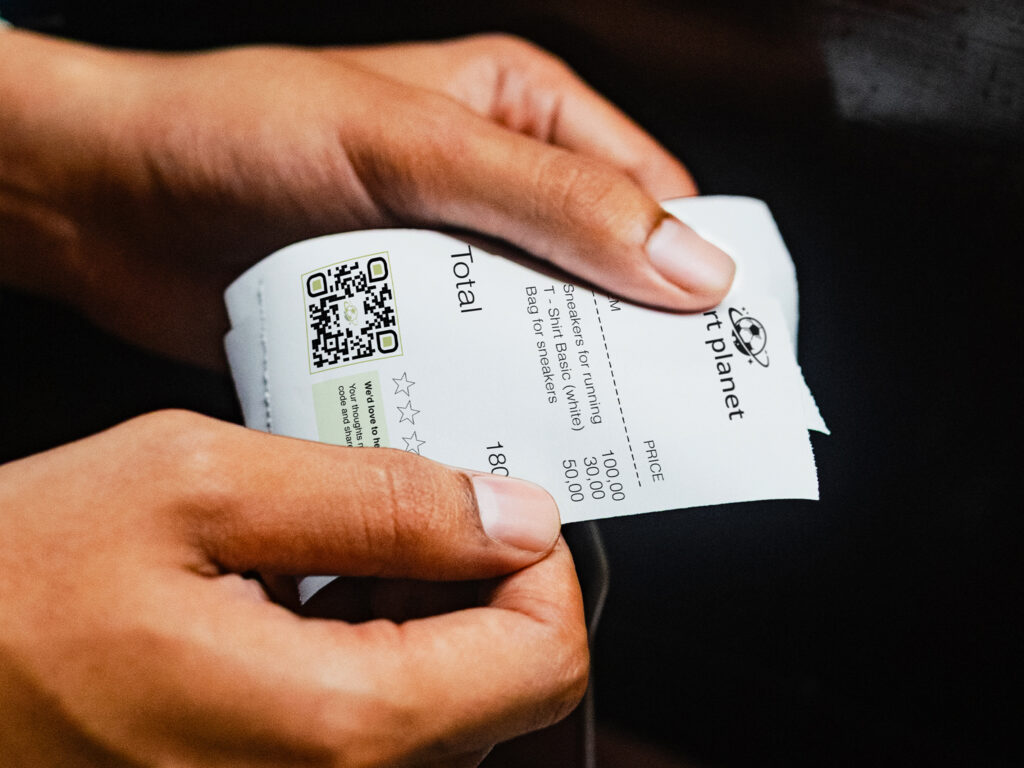
a lady's hands holding a receipt with a qr code for reviews

QR codes are the best way to increase post-purchase engagement with your audience. Customer retention is encouraged when QR codes on receipts provide links to landing pages that offer discounts, reviews, social media, ecommerce stores, loyalty programs, and other digital content. 

Not all QR codes on receipts have to share the actual receipt digitally. That depends on the brand’s preferences. Many brands prefer to focus on the audience in its entirety, and printing a QR code on a receipt for marketing purposes, albeit not the receipt itself, is also an effective way to do that.

Whether you’re a flagship store doing your own marketing and you want a general QR code that highlights your brand’s best content, or an international retailer with marketing teams and integration engineers, this use case is for you.

Benefits of creative QR codes on receipts

There are two ways you can print QR codes on receipts. The first way is with the same QR code that’s included on the receipts with every purchase. We suggest the Multi-Link QR Code to get the most out of your campaigns and provide various types of content to customers. 

The second way is that one of those links could be personalized to share the actual receipt or other unique reasons. In that instance, bulk QR code generation is necessary.

Multi-Link QR codes have landing pages

QR code landing pages are key. To maximize the use of a QR code on a receipt, you should add as much quality content as possible. If your brand has an ecommerce site, offers special discounts to loyal customers, participates on social media, etc., you can add all of those links in a multi URL QR code generator, for multiple ways that consumers can interact after a sale.

QR codes on receipts are customizable

Your QR code design should reflect your brand image and be eye-catching so your audience is inspired to scan. You can change your looks with seasonal campaigns and different promotions while maintaining brand consistency.

You can also learn how to use QR code templates for QR code branding across different campaigns and marketing channels so you don’t need to redesign them every time you need more codes.

Integrate QR codes with our ERP or POS system

Businesses can connect their ERP or POS system to our QR code generator to create unique QR codes for individual transactions. For example, a transaction ID from the ERP can be used to create a unique URL, which is then converted into a QR code and printed on the corresponding receipt. 

For high-volume receipt printing, an API or direct ERP integration can automate the process, generating the appropriate QR code for each transaction as the receipt is created.

QR codes on receipts are trackable

It’s important to know how your marketing campaigns are turning out so you can adjust content and links as needed. You can track the number of scans, cities scanned in, times and dates of scans, and on what device a QR code was scanned. You can also track QR codes with multiple links to see how each link is performing. You can do a full analysis in your website or social media channels to see who is taking action and where traffic is dropping off.

Dynamic QR codes are editable

It isn’t hard to change a QR code link. Simply go into your QR code dashboard and change it without reprinting the code. Dynamic versus static QR codes allow you to edit codes on the backend so every scan thereafter will receive the updated content. 

How to create QR codes for receipts

We offer various QR code types for your needs. Some brands prefer to add just website links, but we suggest Multi-Link QR Codes with QR code landing pages to get more from marketing with QR codes. 

Step 1: Go to Trueqrcode QR code generator, and we suggest choosing the Multi-Link QR Code option.

Step 2: Add content, links, and social media channels.

Step 3: Customize your QR code with branded, contrasting colors so they scan well, and do a test scan so that you know it works before printing the QR code on the receipt. It should also have enough white space around it to scan. 

Step 4: Download and save your QR code in your account. Name your files and organize them in folders so you can refer to them later for editing and future campaign creation.

Step 5: Use your downloaded QR code on your receipts. Do a test scan after printing in different light and with different devices.  

Step 6: Our QR code generator with tracking allows you to track campaigns over time and modify them as needed.

a pink qr code on a receipt laying in a wooden dish on a table
a qr code on a receipt to scan for a digital pdf, that is attached to a food bag

Best practices of QR codes on receipts

Increase post-purchase engagement with QR codes on receipts. Whether you want to grow followers on social media, share offers and discounts, promote seasonal campaigns, get reviews, or share digital copies of the receipts themselves, here are a few ways retailers are using QR codes on receipts to their advantage, and that of the customers.

Expand your audience while fostering consumer trust

Give customers a way to extend the relationship post-purchase. With your QR code landing page, you can add links to all your social media channels. This doesn’t only keep you connected to previous buyers, but it also spreads brand awareness across social media algorithms. 

Get more reviews

Have customers scan a QR code to add a product review on an ecommerce page, or a storewide review on Google or other sites. Add a CTA that makes it enticing or give an incentive.

Modify QR code campaigns with A/B testing

Give your codes some time to be scanned. You’ll see in your analytics dashboard what’s hot and what’s not. Some people scan more at different times of day, on different days, or more in another city. You’ll need some time to see what can be changed and what you need to keep. If your company thrives with Instagram, but your industry really doesn’t use LinkedIn, then including such a link wouldn’t really be helpful.

Give loyalty points for scanning a QR code receipt

When customers scan their QR code receipt post-purchase, they can click on links on their QR code landing page to redeem points. This creates engagement through loyalty program sign-ups, email subscriptions, and social media follows.

Provide digital copies of receipts

You could encode a URL that leads to a landing page where the customer can view or download a PDF receipt.

For example:

Receipt → QR code → unique URL → receipt page → “Download PDF”

The important part is that the business needs to generate and host the receipt PDF somewhere and associate that receipt with a unique URL.

A retailer could theoretically generate something like:

example.com/receipt/8F72KQ

The QR code contains that URL. When scanned, the customer lands on the corresponding receipt page and can download the PDF.

But that’s different from a normal marketing QR code that simply points everyone to example.com/discount. A receipt-management/POS system would need to generate the individual URLs and PDFs.

Tips for adding QR codes to receipts

The difference between QR codes on receipts and QR codes on product packaging is that QR codes on receipts shift the focus from the product to a broader store-wide or brand-wide experience. 

On actual products, it’s useful to use a GS1 Digital Link QR Code. You can still add social media links and product-specific content there, since it’s a type of QR code with multiple links. Those are more helpful for private label products, when scanning them throughout the supply chain, and eventually providing product knowledge to the end consumer.

Add a CTA worth scanning

Your QR code will need to be appealing, and the call to action must inspire people to:

  1. Scan
  2. Take action

Both are necessary for a successful QR code marketing campaign. People need to know what they’re getting so it’s worth it.

Provide content people want to engage with

Focus on sharing interesting, relevant content that meets consumer needs rather than overwhelming them with unnecessary links. Provide quality content over quantity.

Check QR code printing from the beginning

Do a test scan on a receipt to make sure that the QR code is an appropriate size, that the QR code logo size isn’t too big or small either, and that your printed QR code looks professional on the receipt without obstructions and runny ink.

Drive repeat purchases with intentional links

Link special offers to future purchases, additional promotional products, or limited-time offers that encourage customers to come back.

Begin with a simple receipt QR code

If you’re an owner of a smaller boutique going it alone, don’t get overwhelmed! It’s not in everyone’s interest to integrate systems like larger brands with engineers. Just start with one QR code that can go on every receipt. You can still add multiple links and enjoy followers on socials, share promotions, swap out links, and track QR codes.

FAQs

These are the most frequently asked questions and their answers about creating QR codes for receipts.

A QR receipt can link to marketing content, or if systems are integrated, a personalized link to the PDF of the receipt itself.

It should be big enough to be scanned easily. It should also be eye-catching to attract your audience.

If there’s a link to a hosted website that verifies purchases.