
Dynamic QR Code Generator
Use a dynamic QR code generator to streamline diverse content sharing in seconds! Optimize the way you provide information to your audience using a dynamic QR code. Since dynamic QR codes are editable, if your contact information or content change at any moment, you can edit them on the backend without reprinting, so the next person scanning has the most updated information. This is the most attractive benefit of the dynamic QR code: editable content; no reprinting. It’s the most effective way to deliver high-quality content, fast!
Excellent | 4.9 out of 5 from 623 reviews
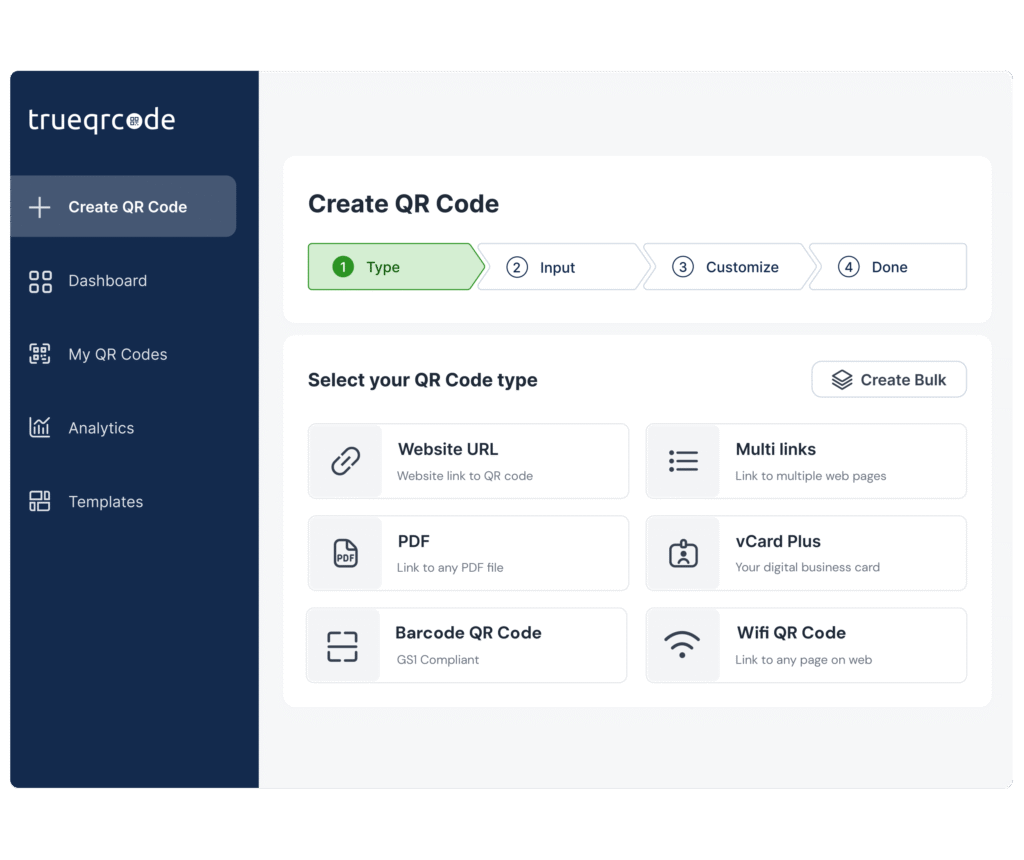
Check out the best dynamic QR code types to maximize your objectives:
The Multi-Link QR Code enables you to add multiple links that can route customers to your website, map, contact information, YouTube channel, and more! The possibilities are endless. Any web pages or social media channels you want to add will come up on the mobile screen for the audience to select. Add up to ten links and watch your followers come rolling in!
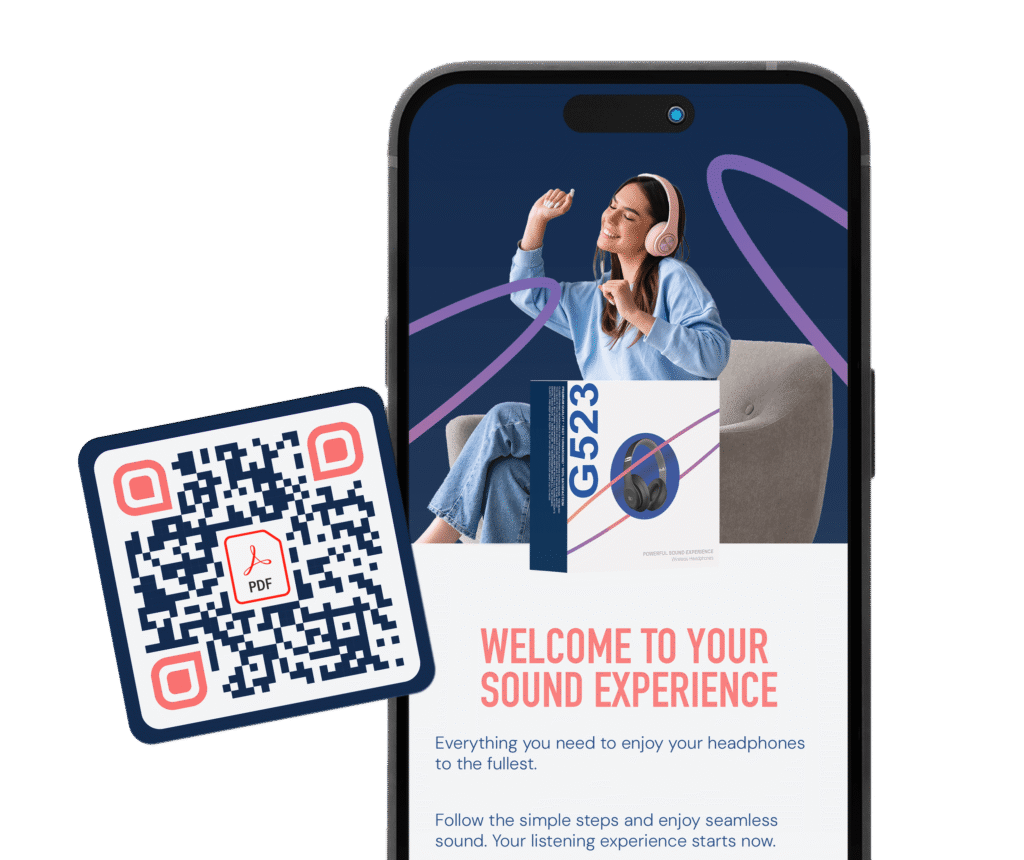
The PDF QR Code is the best way to share a PDF file too big to email. When you have a white paper, a quarterly report, a menu, a price list, or anything else that fits into a PDF, you can just have your audience scan a QR code, and the PDF will download instantly. If you update the PDF and reupload it to the QR code on the backend, the future scanners will have the updated PDF. This is great for any business that has content that gets edited along the way. If you’re wondering how to make a QR code for a PDF, check out this article.
The vCard Plus QR Code is fantastic for handing out all of your personal information in one go. The information you decide to give the dynamic QR code generator will then auto-populate into the scanners’ phone, promoting instant connections with ease and accuracy. The person who scans can also receive your social media usernames if you provide them, making it simple for them to find you on your favorite channels. If your information changes, there’s no need to reprint the code on sales materials or on a business card with a QR code because it’s editable!
The WiFi QR Code allows you to add the network and password without having customers misspell the information or waiters in cafes typing the code into customers’ cell phones. For passwords that change frequently, it’s the perfect QR code for being able to change the password to, so that customers can rescan it later on. It keeps people from using the internet later who are in close distance but aren’t presently seated.
The Website QR Code is simple to use. You just scan and that’s it! You can add any content you want to your URL, and that’s where the code directs to. It’s the most basic type of code to use.
The Barcode QR Code is a GS1 Digital Link that works in-store and online. It’s 2D, which replaces the 1D barcodes of the past. It allows you to add multiple links about your product, like reviews, promotions, manuals, etc. Now, if new information is available after a product is shipped, the customers out in the world scanning will get the latest updates.
Create a dynamic QR code and experience the advantages
When choosing a dynamic vs. static QR code, the advantages are clear. The best QR code generator will give you all of these features, and we are so confident your business will improve with these benefits that we offer a free trial of Trueqrcode’s QR code generator here!
Dynamic QR code generators support editability in the long term
Definitely the most amazing feature about dynamic QR code generators: the flexibility. It is so simple to make a mistake when adding content to the creation of a QR code, although QR codes are simple to make! Of course, we can’t stress enough to read over the content provided, URLs, etc., and to do a test scan before and after printing. What is more, when your information changes on purpose, or when campaigns shift into a new season, you can edit the content on the backend without reprinting the code. If you’re keeping it digital, you can edit the design if it’s necessary for you. This keeps information fresh and intentional. It’s mutually beneficial for the audience and the creator.
Trackability with dynamic QR code analytics is gold for marketers
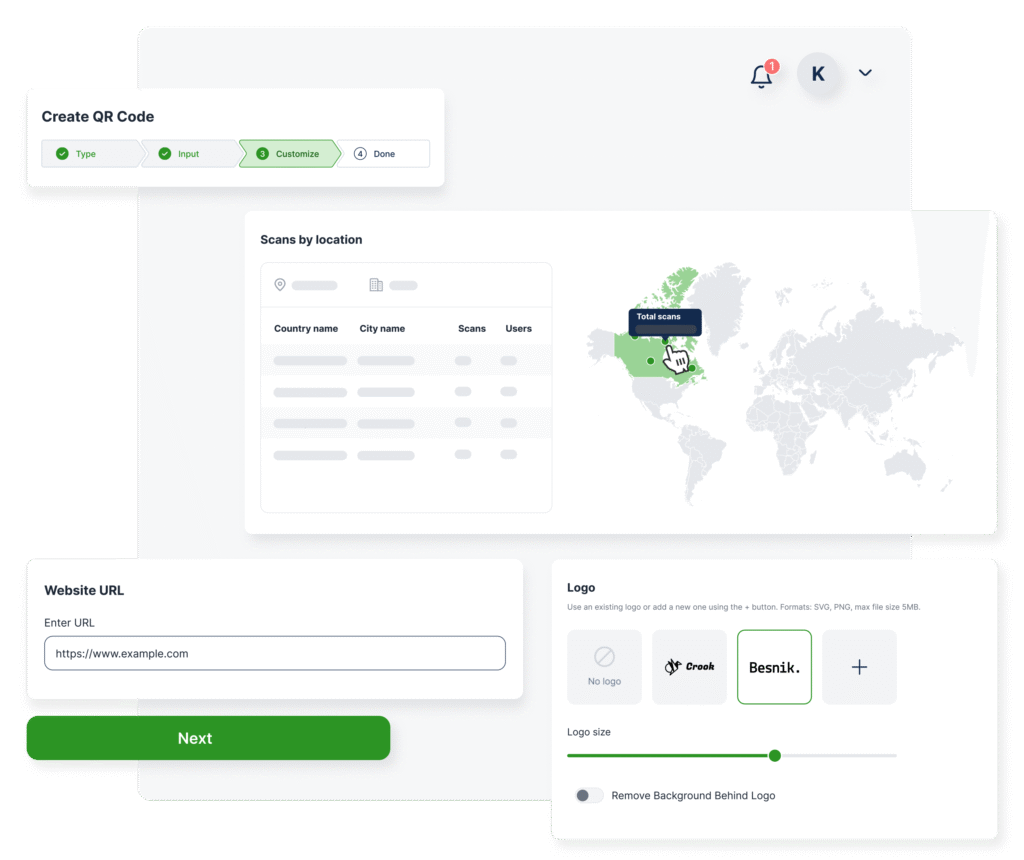
Why is QR code marketing so successful? With traditional campaigns, it’s not possible to track how much attention an ad is getting. You could always see results in sales numbers with coupons used and a jump in your social media followers, but QR code tracking is key nowadays to magnify the success analytics of a particular code. Was the QR code printed on a flyer, a billboard, a banner, or a business card? With QR code analytics, you can see what city, time of day, day of the week, and which devices scanned the code. With those metrics provided in real time, it’s fantastic for anyone who wishes to see the engagement on a particular code.
Password protection allows you to control dynamic QR code access
With Trueqrcode’s dynamic QR code generator, you can add a password so that others will need to enter it before viewing or accessing the QR code’s content. This dynamic QR code feature enables you to control your account with different codes when different people in marketing teams are involved with making codes.
Ability to design your QR code and add your logo for brand awareness
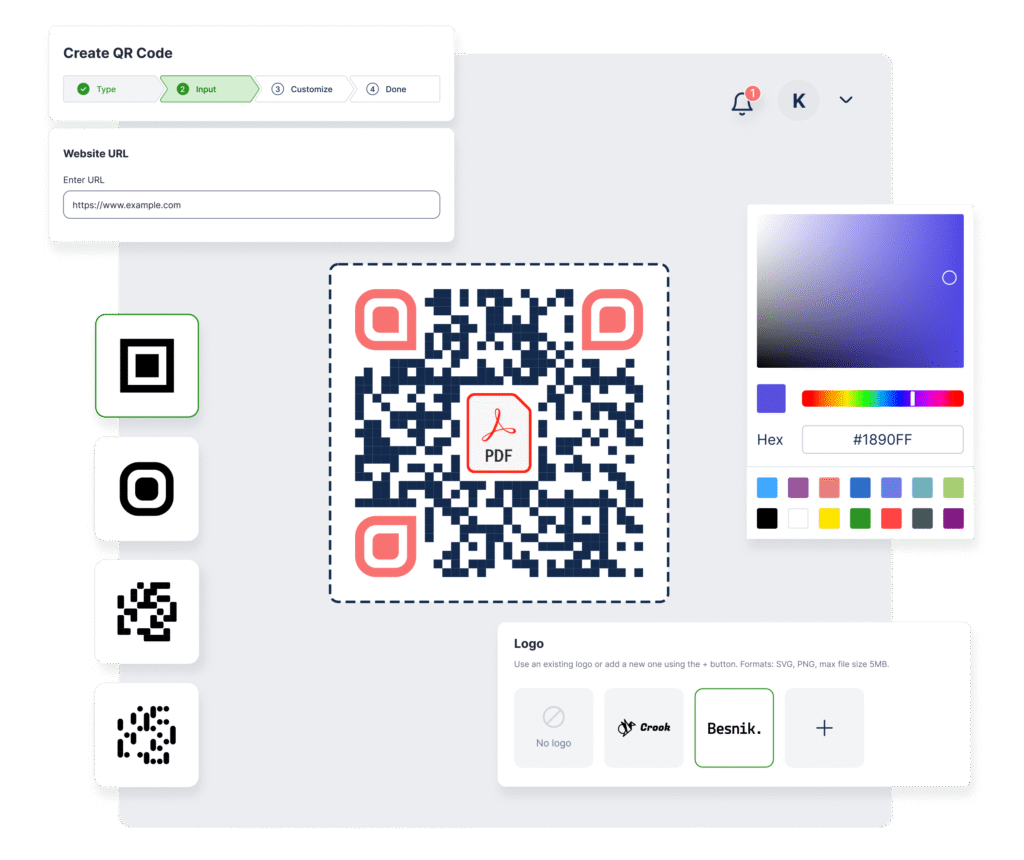
Although you can take advantage of QR code design for static and dynamic codes, it’s still a main feature and common benefit, catching the eyes of your audience and promoting brand awareness and recognition. Add your branded colors and upload your QR code logo, and watch the scans come in fast on your analytics dashboard!
| Features | PDF QR Code | Website QR Code | vCard QR Code | Multi-Link QR Code |
|---|---|---|---|---|
| Usage | Instantly shares documents like brochures or reports | Directs users to a website or landing page | Saves and shares contact details | Provides multiple links in one scan |
| Requires Internet? | Yes | Yes | No | Yes |
| Editable? | Yes, if dynamic | Yes, if dynamic | Yes, if dynamic | Yes, if dynamic |
| Use Cases | Menus, manuals, whitepapers | Websites, product pages, campaigns | Business cards, networking | Social media, multiple resources in one place |
| Trackable? | Yes, if dynamic | Yes, if dynamic | Yes, if dynamic | Yes, if dynamic |
| Security Risks | Medium – PDFs can contain malware or phishing links | High – Can lead to malicious sites | Low – Stores only contact details | Medium – Multiple links may lead to unverified sources |
| File Size Limitations | Large PDFs can slow loading times | No limit (depends on the website) | Limited to contact details | No limit, but too many links can overwhelm users |
How to create a dynamic QR code
1
Sign up for a Trueqrcode account: Visit the Trueqrcode website, select the Create QR Code button, and choose any of our dynamic QR code types according to your needs.
2
Enter your content: After selecting the code of your choice, you’ll enter the content as prompted on the screen. It’s simple, quick, and check it twice for any typos.
3
Customize your QR code: Add colors, logos, and frames to match your branding. Make it pop and add a riveting CTA to entice people to scan!
4
Create your QR code: Press “Generate,” and your dynamic QR code will transform into a scannable QR code.
5
Download and share: Save the dynamic QR code image and download it for printing and digital sharing.
Looking for more reasons to use a dynamic QR code generator? Check out our QR code use cases for industries and find out more!
Best Use Cases for Dynamic QR Code
Offer property information and agreements online
Share digital brochures, presentations, and reports.
Offer digital menus that customers can scan and view.
Distribute study materials and assignments seamlessly.
4 Benefits of Using a PDF QR Code

Engagement
QR code marketing boosts engagement by providing valuable content in a quick scan, downloading content immediately to your audience’s phones, and opening up a two-way conversation through various channels that you can offer.

Convenience
Share content with a broader audience that will get your name out there. No more searching for followers on socials or printing a lot of paper and using too much ink for longer content.

Versatility
Use dynamic QR codes for various purposes, especially those that change with time and need to be edited in the future.

Analytics
Track the metrics of dynamic QR code scans and understand user behavior, providing insights about your content’s reach and impact.
Looking for other Features?
Frequently Asked Questions
What is a dynamic QR code?
A dynamic QR code is a QR code that can be edited on the backend after it has been printed, so that if content is updated, the next person scanning gets the updated version of the content. It provides a short URL redirect link so that this is possible.
What’s the difference between a static and dynamic QR code?
Static QR codes don’t allow content to be updated after printing. Dynamic QR codes enable users to update content after printing and also have analytics features.
Do dynamic QR codes require an internet connection?
Yes, because they redirect to a URL.
Can you track a dynamic QR code?
Dynamic QR codes are trackable by the Trueqrcode analytics dashboard, where you can see the number of scans, what cities they came from, times, and days of scans, and from what devices they are scanned, making dynamic QR codes perfect for measuring marketing campaign success.
Is it free to create a dynamic QR code?
There are free services out there, but it’s recommended to use a paid account that doesn’t redirect scanners to pop-up ads, which aren’t trustworthy and look unprofessional. Moreover, paid accounts allow you to manage your codes in the future and provide analytics. They are also safer.