Although QR codes are an amazing way to share content for a multitude of use cases, across every industry, and all around the world, unfortunately there are people in the world who misuse them.
With paid accounts like Trueqrcode, only the account creator has access to their dashboard, so codes can’t be misused unless someone has access to your account. You should also only scan QR codes that are from places and brands you trust and ensure that no one has duplicated them.
Technology is a great thing but, like anything else, there is always a way for it to be abused. We’ll show you why using QR codes, either creating or scanning them, can be a quick, convenient, and safe way to share content, and how to prevent scanning malicious QR codes that download malware or scanning fake codes that lead you to pages trying to steal your data.
What is quishing?
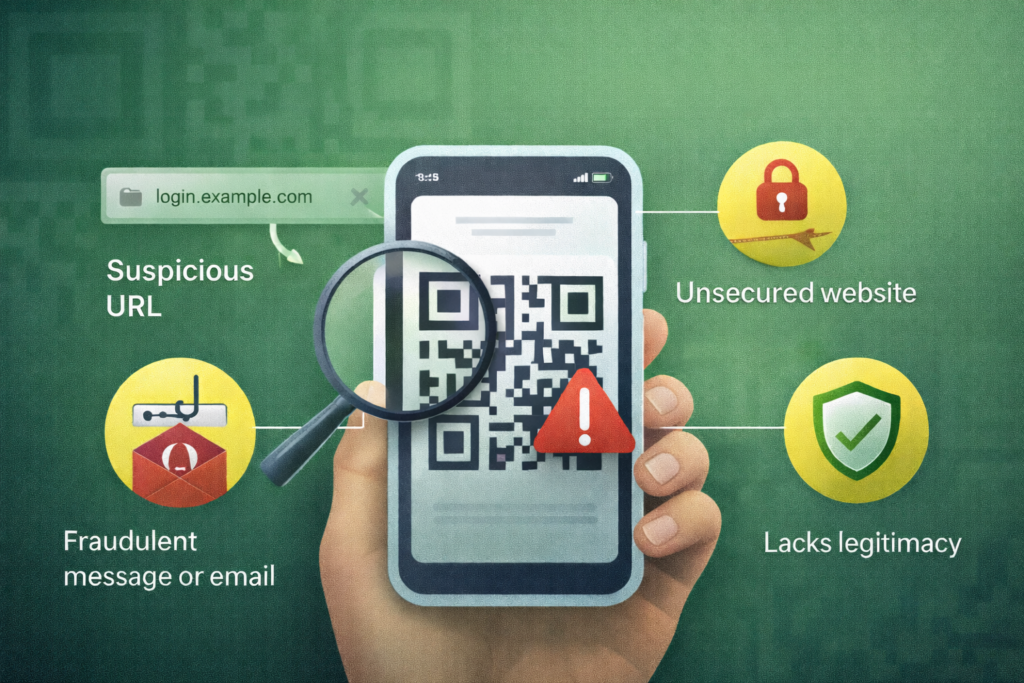
A quishing or QR code phishing attack mainly occurs when a scammer sets up a QR code on any material or place, claiming to be someone else, or to have a fake company or service. The QR code sends you to a fake or duplicated web page asking for credentials or credit card information.
A malicious QR code could send malware to your mobile phone. The automatic download compromises security and allows the person behind the scam access to your phone.
Another sign of quishing is when you’re sought out. If they send you an email or you’re given printed materials on the street about scanning for something that might be appealing to you.
How do quishing attacks work, and how can I protect myself?
We’ll go over some of the ways attackers do this, tell you how to protect yourself, and let you know, with some common examples, when it’s useful, fun, and convenient for you to scan QR codes so this amazing technology doesn’t get wasted.
Problem: Attackers may print a QR code in a public space, flyer, billboard, poster, business card, etc., offering a service or product. Protection: Don’t scan QR codes from an unknown source. There are other ways to search the brand on the internet or in person, and when you know it’s a real company, then scan. When you should scan a QR code: QR codes on business cards are fantastic for networking. If you’re at an actual networking event or sales meeting and you have met this person in real life, in their company, scan the code and the contact information automatically downloads error-free into your phone, which is great in case of typos made or incorrect numbers given.
Problem: You’re offered something that looks like a normal freebie, discount, coupon, or even an offer you’d be willing to pay for. Protection: Know the brand that printed the code. Sometimes, an attacker might steal a brand name or logo, so be aware of that. But if you’re in an actual storefront or a place where you know the owner of the code, it’s safe to scan. When you should scan a QR code: You’re in a boutique in person, and they have a QR code on a flyers with a great CTA that you just can’t miss out on.
Problem: You scan a code, and the site you’re directed to is a copy of a real site, sometimes with a copy of the URL with a different country code behind it. Protection: Only scan a code from a place you trust. When you should scan a QR code: You go to a concert, and after the show, the musician has a banner with a QR code on it to lead you to their Spotify page, socials, or even to buy concert tickets. Obviously, your fave bands are just honest people promoting their work and sharing fun events and music with the world.
Problem: A site you’ve never been on asks for credit card information to make a purchase. This can even happen without QR codes. Websites are popping up all over the place for items like clothing, only to find out later, it’s a professionally done, beautifully made website with no inventory behind it. They’re credit card data thieves. Protection: Always look up Trustpilot, Google Reviews, etc. for hundreds or thousands of reviews of a site. And even sometimes, those are fake. If the brand isn’t reputable, don’t enter credit card information. It’s a shame for up-and-coming brands that want to make a name for themselves. When you should scan a QR code: Follow them for a little while and get to know them like you would a person before trusting anyone.
Types of QR code phishing attacks
- Malicious QR codes might steal your credentials for high profile (or any) online accounts like your Gmail or Microsoft login. They’ll duplicate famous sites, and when you log in to their copied account, they steal your credentials for your actual account. Be cautious about the URL when you login to any site from a QR code whose source you don’t know.
- Some QR codes might automatically download malware to your phone and then ask you to install an app like spyware to get rid of it. Do not install whatever they tell you, and you need to search for options about how to get rid of whatever they did.
- Sometimes scammers will put fake QR codes on parking meters, charity posters, and other places where one can scan and pay. Once you’ve gotten routed to their fake site, you’re actually just paying the scammer.
- QR code overlay attacks happen when a scammer sticks their QR code over the real one in a public place, so look out for another one beneath the one you’re scanning.
- A fake security alert will prompt you to login at the moment, only to steal your login credentials from a certain site.
- Fake WiFi connections. Don’t ever connect to anything that offers free WiFi in public. It’s probably a scam. Be careful in places like airports. Ask the staff first where you can connect.
- QR codes that have a CTA claiming discounts or coupons usually just steal your email address when you give it to whatever site they directed you to, and send you annoying subscription emails afterwards, you never signed up for. There are still some good companies and honest people out there who offer nice things but, you have to know them first.
- Offers for fake event tickets also exist, so you need to make sure it’s a real ticket dealer before even scanning. If you’re at an actual musician’s concert and they have a poster with a QR code at the venue, it’s most likely fine. But if it’s just a rogue code out in the middle of nowhere, like a sticker on a flag post, it’s not that it’s not real; in fact, some young, budding artists and band members put stickers everywhere, but you shouldn’t scan a QR code that’s just hanging out on a lamp post.
- Fraudulent banking/financial/crypto scams are always possible. I wouldn’t suggest scanning any code that your financial institution didn’t put inside of their bank and definitely not if you’re sent a message. Do not scan something where you were sought out. There are other ways to do banking. Especially if they ask for credit card or bank account information. Just close the page.
- There are delivery scams where people get texted fake parcel information ,so don’t trust that, especially if you aren’t actually expecting a package. Ignore it.
- Fake menus could get handed out when duplicated from a restaurant. If you have the menu in your hand, you don’t really need to save it on your phone as well. Unless the restaurant puts it in your delivery bag, don’t take it for granted when it’s just handed out in public.
What is QRLJacking?
A quick response login (QRL) enables you to log in directly to a site without entering your credentials. An example would be like a WhatsApp QR code that opens up WhatsApp directly without signing in. It’s meant to be user friendly without having to enter your password every time you enter the site.
A QR code is just a code. A QRL is an authentication method with a QR code.
If you scan a QR code that is fake, it could bypass real authentications and therefore hijack your passwords to get into your accounts. It could also prompt you to input that information anyway. Just don’t scan codes when you don’t know where they came from that want to log you in immediately.
Even if a 2FA or MFA is active, it could ask you to confirm your identity through them again, in order to give them access. If you don’t accept this second form of authentication, then you can protect yourself.
How can I spot a QR code phishing attack?
You should always know where the code came from. Yes, your favorite brands like Prada or Calvin Klein may print a QR code on a billboard or bus stop poster to get scans. And it could be legitimate. Usually, if you spend that much money on advertising, like a billboard in a walkable shopping district, it’s legit. Just think about what you’re scanning before you do it and use caution. Pay attention to the URL asking you for money. Is it really Prada’s site? Don’t be afraid of QR codes. They’re a great technology, but with anything, you need to be prudent.
Do not scan mystery codes. If there’s a shady guy on the corner passing out flyers, yes, he may be a random artist or musician selling tickets to a show. Just keep the flyer then. Pressure to scan codes immediately means you shouldn’t do it. Just search the flyer’s information separately. Flyers with QR codes are great when passed out at actual shows and conferences by people working there.
If something about the CTA looks strange or their marketing materials have misspelled words, URLs that are not quite right, etc., don’t scan. Country codes attached to the end of a URL can be real if you’re in that country but sometimes, they will take a common URL, duplicate it and add a country code to the end and, when you purchase, it steals your info.
Urgent messages begging for your information right away are a sure way to know it’s not a real code. QR codes should lead to landing pages giving you information. They should never ask you for information. QR codes should share content on websites, social media channels, tutorials on YouTube, etc. There are certain websites like ecommerce shops from your favorite retailers that offer QR codes and repeat buys. However, you need to make sure that you are actually on that store’s website and that the code came from an actual marketing material from that brand, and not from a random public space.
How can I prevent or report a quishing attack?
The best services to detect quishing on your phone would be to download an antivirus for cell phones. They can run about 35 euros a year or around 40 US dollars. But seek out a trusted and reliable antivirus protection service, not someone who sought you out, as it could be a scam. And make sure it works in the country you’re in. Even antivirus systems that are real will take your money in Europe but won’t work outside of the USA and vice versa. And you can’t get your money back. Before purchasing, make sure the service works in your country and on your device.
Do not ever accept random notifications on your cell phone asking you to authenticate anything. Just ignore it. The more you get, the more it means someone is after you, but they can’t get to you unless you give them more information. It just means they got your cell phone or email somewhere. They also call you now asking you for information and record your voice for voice authentication with “yeses” or “nos”. That even happens without QR codes, and don’t answer robots randomly calling you asking for stuff anyways. Just hang up the phone.
You can report quishing messages to places like your financial institution or “repost abuse” pages on websites like Google, if someone has tried to duplicate their login page. There are “report phishing” pages on every common social media site, depending on what the malicious QR code pretended to be.
If you think you’ve been targeted by a QR code phishing scam, exit from the page immediately. Don’t share any of your data. Log in from another device and change your passwords. You can run security scans and remove unknown apps. If you need to, go to a proper IT person according to your device. Don’t just go to a common cell phone dealer who knows nothing about IT. You can also enable 2FA or MFA.
Final thoughts about QR code phishing
You must be prudent about where you’re scanning QR codes from. If you have a large or small business, take a look at our QR code use cases and industry pages for interesting ideas on how you can add QR code marketing to your materials. You can do it safely and effectively, and your customers will be pleased. Sign up for a trial with our QR code generator and experience it for yourself!
